

Shooting in RAW format gives you the ability to capture every bit of light your camera sees. A RAW file holds all the uncompressed, unprocessed data straight from your camera’s sensor. Think of it as a digital negative. In comparison, JPEG files, on the other hand, are already processed and compressed pictures, where data has been discarded in the aim of reducing file size.
This special RAW data gives you total creative control when you edit your images. You can make big changes without losing picture quality. With JPEGs, your options are limited, and making big edits can often harm the look of your photo. You simply can’t push them as far.
This article will pull back the curtain on RAW files. We’ll show you why this format is the best choice for anyone serious about their photography. You’ll soon see why pros and amateurs alike prefer RAW.
Understanding the RAW Data Stream
What Exactly is a RAW File?
RAW format isn’t just one type of file; it’s a whole category. Each camera brand has its own specific RAW format. You might see files ending in .CR2 or .CR3 for Canon cameras. Nikon uses .NEF, while Sony cameras create .ARW files and .RAF for Fuji.
These files keep all the information your camera’s sensor captures. This includes full colour details, the exact white balance chosen, and even sharpness or contrast settings applied in the camera. The important part is, these settings aren’t permanently part of the file. You can change them later.
The Sensor’s Native File Format
Your camera’s sensor has a specific file format and the RAW file is saved in that format. It’s a direct record of what the sensor recorded. Because each camera company has its own RAW format, you often need specific software to open and edit these files.
Some find this a small hurdle. Yet, this approach helps keep your image data pure and untouched. It ensures you have the best starting point for editing.
The Superiority of RAW Format for Editing
Unmatched Dynamic Range
RAW files hold onto detail in both bright and dark areas. This means you can often bring back parts of your image that look completely white or totally black in a JPEG file. Imagine a photo with a super bright sky. In a RAW file, you can often recover blue skies and cloud shapes that would be lost in a JPEG file.
The same goes for deep shadows. You can pull out hidden details in dark foregrounds, revealing textures you thought were gone. When you’re not sure about exposure, try shooting slightly dark. RAW files let you recover shadows much better than highlights.
Preserving Colour Fidelity
When you shoot RAW, your camera records a lot more colour information. Most RAW files hold 12-bit or even 14-bit colour data. JPEGs only store 8-bit colour. This difference means RAW files show much smoother colour changes.
You can make very precise colour adjustments without your colours looking blocky or unnatural. Professional photo editors and colourists always work with RAW files. They need this precision for stunning results.
Maximum Sharpness and Detail Control
Have you ever wished you could control how sharp your photos look? RAW lets you do just that. Unlike JPEGs, which have sharpening baked in by the camera, RAW files are like a blank canvas. You apply sharpening yourself during editing.
This non-destructive approach means you choose exactly how much sharpness your image needs. You can pick the right amount for printing or sharing online. This gives you fine-tuned control over every tiny detail.
Why JPEGs Come Up Short
The Compression Curse
JPEGs are small for a reason: they throw away image data. This is called lossy compression. Each time you save a JPEG, especially after editing it, more data gets tossed out. This loss can create visible flaws, like blocky areas or strange colour bands.
If you zoom into a heavily edited JPEG, you might see these blurry or pixelated parts. A RAW file, even when zoomed in, holds onto much more fine detail. The difference is clear, especially after a lot of editing.
Permanent In-Camera Decisions
When you shoot a JPEG, your camera makes a lot of choices for you. White balance, colour saturation and contrast are set for good. If your white balance is off, trying to fix it in a JPEG is hard. The quality quickly drops.
You might end up with weird colour shifts or dull, lifeless tones. There’s not much room to change your mind later.
Limited Post-Processing Flexibility
Trying to heavily edit a JPEG is like trying to fix a painting that’s already dry. If you push the exposure or color too much, the image quickly falls apart. You’ll see ugly colour banding or a muddy, posterized look.
JPEGs just don’t have enough data to handle big changes. They’re designed for quick viewing, not deep editing.
When Might JPEG Be Acceptable?
Instant Gratification and Sharing
JPEGs are super convenient. If you need to share a picture right away, they are perfect. Think social media updates or sending a quick photo to a friend. No editing needed, just shoot and share.
Some stock photography sites also prefer JPEGs with specific settings. If you need both flexibility and speed, try shooting in RAW + JPEG mode. Your camera saves both versions, giving you options.
Storage and Processing Speed Considerations
RAW files are much larger than JPEGs. A single RAW format photo can be 30-50MB, while a high-quality JPEG might be only 5-10MB. This means RAW photos fill up memory cards and hard drives faster. You need more storage.
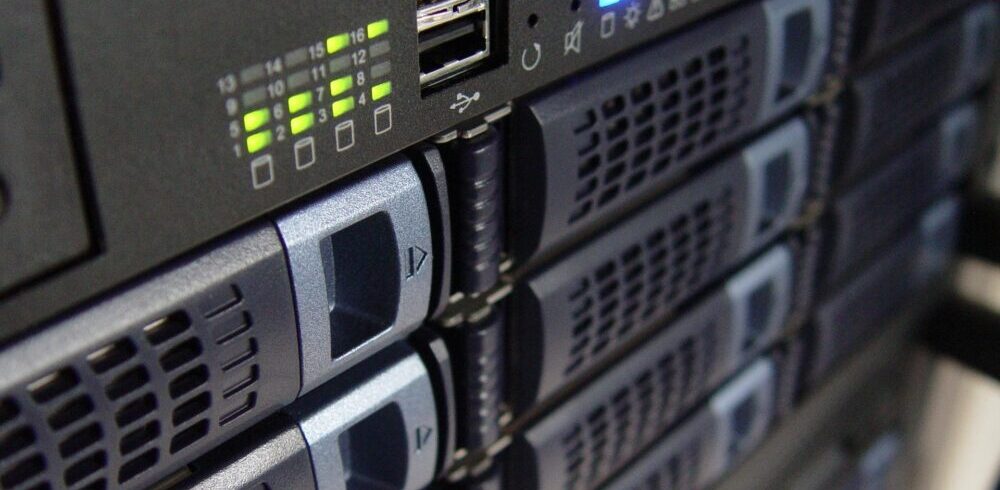
Editing RAW files also takes more power from your computer. It can be a bit slower. If you have limited space or an older computer, JPEGs might be easier to manage.
Getting Started with RAW Workflow
Essential Software for RAW Format Editing
To work with RAW files, you need special software. Many camera brands also give you their own free software, but they may be limited in their features. There are a number of paid for, or subscription applications out there as well as some free ones. Most will be able to handle native RAW file formats. We currently use Darktable, amongst other applications.
Pick one that feels right for you. They all help you unlock the potential of your RAW files.
Importing and Managing RAW Format Files

Once you start shooting RAW format, you’ll need a good system. Create clear folders for your photos, perhaps by date or event. Always give your files consistent names. Most importantly, backup your photography files regularly.
These files are your digital negatives, so treat them with care. Saving them to an external drive is smart. If you decide on a cloud solution remember – the cloud is just someone else’s computer.
Basic RAW Format Adjustments
Editing RAW files is non-destructive. This means your changes are saved as instructions. They never touch the original RAW file itself. This lets you experiment without fear. Start by setting your white balance, then adjust exposure.
Next, recover any lost details in highlights and shadows. Add a bit of contrast and sharpening. These basic edits can transform your photo from good to great.
Conclusion: Embrace the RAW Format Advantage
Shooting in RAW format gives you the highest quality image data possible. This means ultimate flexibility and creative control in your photo editing. You’re not stuck with your camera’s initial settings.
Compared to JPEGs, RAW format files give you superior dynamic range, truer colours and better detail. This is because they capture so much more information. Yes, RAW format files take up more space and a little more effort in your workflow.
But the results are worth it. Try shooting in RAW and see how it elevates your photography. You’ll gain a deeper understanding of your images and unlock truly stunning results.
A Selection Of Guide Articles
Adapting A Vehicle For Landscape Photography
We talk about the thought process and steps we took to make life easier when adapting a vehicle for landscape photography
RAW Format Photography
Understanding Camera RAW format files and why they are best for photographers wanting optimal image quality and processing flexibility
Mastering Exposure
Mastering exposure requires understanding of the three principal mechanisms: shutter speed, aperture size, and the photographic material's level of sensitivity to light (ISO)
Essential Filters for Landscape Photography
Read about the essential filters for landscape photography to make your life easier and take your images to the next level
How To Photograph Winter Landscapes
How to photograph winter landscapes, gear, what you need to consider and understanding the how snow affects light
Planning A Photography Roadtrip
A guide to planning a photography roadtrip. How to find locations, what to pack and tips to get the most from your trip
Create Dramatic Landscape Photos
Luck, light, skill and perseverance are just some of the facets needed to create dramatic landscape photos
Landscape Photography: Portrait vs. Landscape Orientation
Comparing composition techniques and when to use landscape versus portrait orientation